Goldito design system · the master

Design kit

Every shared part, live: tap, toggle, open. Each part shows its states (default, pressed, selected, focus, disabled, loading, error). The app's /dev/kit and the Figma kit follow this page; the plugin captures every board marked here.

Run it in the appEXPO_PUBLIC_DEV_ROUTES=1 npx expo start --web, then open /dev/kit. Same parts, same states.
Use a partEach family below has a "For engineers: code" panel: import, usage, props. Props mirror the Figma variants (Style, Size, State…).
Tokens onlynpm run check:tokens runs in CI: no raw hex, numeric font sizes or emoji labels outside theme/. Add // tokens-ok with a reason for a real exception.
FigmaThe plugin's Tickets tab builds "Design kit" from this page: every data-comp becomes a component, every data-variant a variant.

Foundations

Tokens every part uses. The CI token check fails new code that skips them.

Colour

Inkprimary, text
Creambackground
Surfacecards, sheets
Mintselected, accent
Line strongchips, fields
Linedividers
Mutedsecondary text
Placeholder4.7:1, italic
Errordanger only
Goldbadges, coin
Peachblock
Butterblock

Type

title · 24 FredokaBookings
section · 21 FredokaRecent checks
option · 20 boldAt Chloe's home
lead · 18 boldNext
body · 16Max finished his breakfast.
small · 145 yrs experience · 2 km
caption · 11per night

Shape and motion

radiuschip and button pill · card 16 · block 24
touch44 px minimum, 52 buttons, 60 Next
motionfast 120 · base 240 · slow 420; Reduce motion skips

Where

frontend/theme/tokens.ts, themes.ts (Expressive skin). New this round: fontSize.section 21, option 20, lead 18; ui.button height and outline.

Selection

One picker look everywhere: white with a strong line; mint with an ink ring when selected. Ink fill is for primary buttons only.

Default
Selected
Pressed
Naps
Focus
Play
Disabled
Full
With pet
Removable
chicken×
Try it

Segments

Figma ↗

Option card

Figma ↗

Button

Figma ↗
Large
Primary
PressedFocus
Loading
Secondary
Danger
Text button
Disabled

Checkbox row

Figma ↗

Switch

Figma ↗

Parts

  • Chip: ui/selectable.ts, used by ChoiceChips, SegmentedControl, care pills, care-line chips, weekly-rule days, chat replies, Snap pet chips.
  • Segments: one-of-a-few, optional count badge. ui/SegmentedControl
  • Option card: big answer on one-question screens; radio or checkbox; optional photo; disabled with a reason. ui/OptionCard
  • Button: primary, secondary, danger, text; default 52 / large 60; loading keeps its colour (audit F46). ui/Button, ui/TextButton
  • Switch: in list rows. ui/ListRow

Pet chips: the pet's photo, else a breed photo, else the illustration (decided Oct 22).

For engineers: code
import { selectable } from "components/ui/selectable";   // the one picker look
import { ChoiceChips } from "components/ui/ChoiceChips";
import { OptionCard } from "components/ui/OptionCard";
import { Button } from "components/ui/Button";

<ChoiceChips multi value={picked} onChange={setPicked}
  options={[{ value: "meals", label: "Meals" }, { value: "grooming", label: "Grooming", disabled: true }]} />
<OptionCard title="Max" detail="Dog · Maltese · 4 years" leading={<PetMark …/>}
  multi selected={on} onPress={toggle} />          // radio by default; disabled shows dashed
<Button label="Next" size="large" onPress={next} />
<Button label="Save" loading={saving} onPress={save} />   // Figma: Style × Size × State
<Button label="Cancel" variant="secondary" /> <Button label="Sign out" variant="danger" />
// A hand-rolled picker? spread selectable(theme).chip / .chipOn / .label instead of new styles.

Inputs

Fields, the search pill and the slider with quick picks.

Text field

Figma ↗
Use a real date, like 2022-04-15.

Time stepper

9:00 AM

Select

  • Boarding
  • House sitting
  • Drop-in visits

Coat colour

Figma ↗

Search pill

Slider + quick picks

Within5 km

Parts

  • Text field: placeholder 4.7:1 italic; 2 px ink focus; error line under the field. ui/TextField
  • Search pill: When / Pets / Within; each part opens a sheet. SitterSearchBar
  • Slider + quick picks: 2 / 5 / 10 / 25 km, synced with the slider; dates get 1 night / weekend / a week. Built this round.
For engineers: code
import { TextField } from "components/ui/TextField";
import { Slider } from "components/ui/Slider";

<TextField label="Birthday" value={v} onChangeText={setV} error={err} />   // State=Error when error is set
<Slider value={km} min={1} max={100} onChange={setKm} label="Distance" valueText={`${km} km`} />
<ChoiceChips value={[String(km)]} options={[2,5,10,25].map(k => ({ value: String(k), label: `${k} km` }))}
  onChange={(v) => setKm(Number(v[0]))} />          // quick picks stay in sync with the slider
// Search pill: components/SitterSearchBar (date quick picks: quickStays(today)).

Stay and chat

The five stages of a stay, the booking forms and the chat. Figma Expressive: Stepper, Stage header, Stage card, Consent card, Checklist row, Message bubble.

Stepper

Figma ↗

Stage header and cards

Header ↗Card ↗
2Meet and greetTue 4:00 PM · at Chloe's
Chloe meets Max and Mochi and walks you through her home. Turn the care request into a checklist first.

Consent card

Figma ↗

Checklist row

Figma ↗

Entry info

Figma ↗
🔒 Entry infoChloe sees this 2 hours before arriving.
Entry infoBuzz 1204 · Lockbox left of the door
••••
The code hides again after 10 seconds.

Calendar days

Figma ↗

Owner picks dates · RangeCalendar

Sitter's schedule · SlotCalendar

Range: tap a start, then an end; quick picks set both. Past days are faded, today has a ring, full days are struck. Slots: each day is three bands, morning at the bottom, night at the top; striped means not available. Arrows change the month.

Slot rows

Figma ↗
Morning8:00 AM to 12:00 PMOpen
Afternoon12:00 PM to 6:00 PMFull
NightClosed by a weekly ruleNot available

Trip

Needs workTrip map ↗

Map and live card are placeholders; the look is not decided yet. Don't build from these.

Photo check

Figma ↗
Handoff photo
  • ✓ Max is in the photo
  • ✓ Crate is closed
Handoff photo
  • ✓ Max is in the photo
  • ? Can't see the seatbelt. Try another photo.

Stay summary

Figma ↗
Oct 23 to 25 with ChloeMax, Mochi · Boarding · Chloe drives both ways$268.13 CAD · paid

Message bubbles

Figma ↗
Hi Chloe, are you free Oct 23 to 25 for Max and Mochi?
Oct 21, 10:34 AM
Chloe · just nowAI draftYes, I'm free those nights. Two pets, three nights comes to $268.13 with everything included.From Chloe's calendarChloe's rates

Booking card

Figma ↗
ChloeRequested
Oct 23 to 25 · Max, Mochi · Boarding
ChloeConfirmed
Oct 23 to 25 · Drop-off Fri 7:30 AM
PaulCancelled
Oct 21 to 23 · refunded

Parts

  • Stepper: five stages; done (green check), current (ink), future (white). Tap to view a stage. BookingStageBar (#237: stage names)
  • Stage header and Stage card: the stay as colour blocks; the current stage opens. Figma 1673:32190, 1673:32407.
  • Consent card: checkbox, summary, Read full text. ConsentCard
  • Checklist row: time + task + remove. ChecklistCard
  • Entry info: locked until 2 hours before; Show code hides after 10 s, never in a toast. EntryInfoCard
  • Calendar: past, today, range, full. RangeCalendar, SlotCalendar
  • Message bubble: owner (green, tail right), sitter (cream, tail left) with an eyebrow, an AI draft label and source pills. MessageBubble; typing dots.
  • Booking card: Requested, Confirmed, Cancelled. BookingCard
For engineers: code
// Stepper → components/BookingStageBar · Consent card → components/ConsentCard
// Checklist row → components/ChecklistCard · Entry info → components/EntryInfoCard
// Calendar → components/ui/RangeCalendar, components/SlotCalendar
// Message bubble → components/MessageBubble · Booking card → components/BookingCard
import { PriceBreakdown } from "components/ui/PriceBreakdown";
<PriceBreakdown lines={[{ label: "3 nights × $55.00", amount: "$165.00" }]} total="$268.13 CAD" note="All fees included" />
// Rules: entry codes never in a toast or a prompt; amounts always from the server.

Cards

What the demo path shows: sitters, prices, tools.

Sitter result

★ Chloe5 yrs experience · 2 km
Free on your dates
$55per night
JJun3 yrs experience · 3 km
Full on Oct 24
$60per night
AAri4 km
3 nights × $55.00$165.00
Second pet (Mochi), +50%+$82.50
Thanksgiving, Oct 12, +25%+$20.63
Total$268.13 CAD
All fees included

Profile card

Figma ↗
Chloe M.★ 4.9 · 38 stays · 2 kmFenced yard, works from home, walks twice a day.
Your next stayOct 23 to 25 with Chloe

Tool block

Treat checkCan my pet eat this? Snap the label.›

Parts

  • Sitter result: photo or initial, facts line, availability tag, price on the right; no chevron. SitterResultCard. Rating, stays and availability need the search to return them.
  • Price breakdown: one table for quotes and checkout; amounts from the server. ui/PriceBreakdown
  • Tool block: colour block with a round arrow (Snap). SnapToolCard
For engineers: code
import { SitterResultCard } from "components/SitterResultCard";

<SitterResultCard name="Chloe" photo={url} meta="5 yrs experience" km="2 km"
  nightly={55} favorite onOpen={open} onPhoto={viewPhotos} testID="sitter-tile-Chloe" />
// Tool block → features/snap/SnapToolCard (block: "blockPeach" | "blockMint" | "blockButter").

Care and content

What the owner reads during a stay: the daily note, the timeline, stats, photos, the pet and the Life Record.

Pet card

Figma ↗
MaxMaltese · 4 yrs · No chicken

Daily note

Figma ↗
CDaily note from Chloe♥
Max finished every bit of his breakfast and we did a 20 minute walk. He spotted a squirrel and got so excited.Sent 6:04 PM

Timeline

Figma ↗
Long napOn his favourite blanket
Skin pillIn a treat · photo
Walk · 20 minAll good, one squirrel

Stat tiles

3/5care done
12photos today
40mof walks

Next task

Figma ↗
NEXT · 9:00 AMSkin pill in a treat

Task rows

Figma ↗
Dinner · 1 cup kibble6:00 PM
✓Breakfast8:04 AM · photo
!Brush teethMissed · 8:00 PM

Day header

Figma ↗
Today4 updates

Latest update

Figma ↗
Latest from Chloe · 9:02 AM

Breakfast done. Max finished every bit and asked for more.

Mood result

Figma ↗
Max looks happyRelaxed ears, soft eyes. Just for fun, not a health check.

Report summary

Figma ↗
Today: 2 tasks done · 1 missed · 4 check-ins

Photo grid

Figma ↗
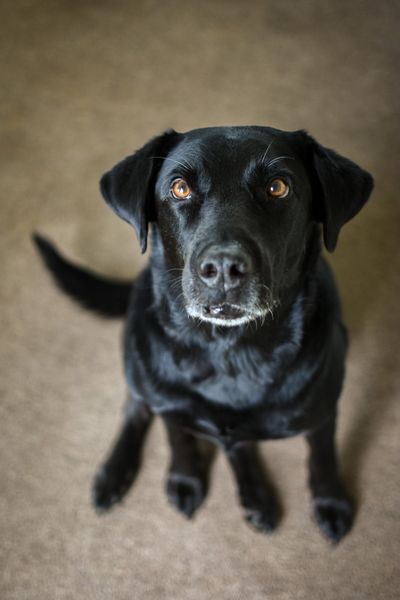

+4

Feed card

Figma ↗
Max at the park
Park timeMax met a golden retriever and they played chase.Walks · 9:40 AM

Life Record

Figma ↗
Eats1 cup kibble twice a day · from 3 stays
MedsSkin pill at 9 AM in a treat · care request
Heads-upChicken allergy · owner

Notifications

Figma ↗
🐾Chloe posted 3 photosMax at the park
📅Booking confirmedOct 23 to 25 with Chloe

Star rating

Figma ↗

Parts

  • Pet card: colour block, illustration or photo, the one allergy in red. PetCard
  • Daily note, Timeline row, Stat tile: owner Diary and Home during a stay (Figma 1673:33181, 1673:32779). DiaryTimeline, LiveUpdates
  • Feed card: photo, caption, category · time. FeedCard
  • Life Record card: each line shows where it came from. LifeRecordCard
  • Notification row: unread dot. NotificationBell list
  • Star rating: tap to rate. StarRating

Pictures here use the Goldito illustrations; they follow the team's icon pick.

For engineers: code
// Pet card → components/PetCard · Daily note, Timeline row → components/DiaryTimeline
// Stat tile → components/QuickCheckIn · Feed card → components/FeedCard
// Life Record → components/LifeRecordCard · Star rating → components/StarRating
// Pictures: components/ui/Art (pending the icon pick) or the pet's photo via components/PetMark.

Layout

Section title

List rows

Figma ↗
Trip updatesOn the way, arrived

Summary rows

PetsMax and MochiChange
DatesOct 9 to 123 nightsChange
Drop-offChloe drivesFri, Oct 9, 7:30 AMChange

Parts

  • Section title: Fredoka 21. ui/SectionTitle, now on Settings, Bookings, Today, the pet page, record, checkout, checklists.
  • List row: chevron, badge, switch, none; one or two lines; danger; disabled. ui/ListRow + ListGroup. Settings uses it.
  • Summary row: label, value, detail, Change. ui/SummaryRow
For engineers: code
import { SectionTitle, sectionTitleStyle } from "components/ui/SectionTitle";
import { ListGroup, ListRow } from "components/ui/ListRow";
import { SummaryRow } from "components/ui/SummaryRow";

<SectionTitle>Account</SectionTitle>         // or heading: sectionTitleStyle(theme) in a StyleSheet
<ListGroup>
  <ListRow title="Name" detail="Robert Park" onPress={edit} />
  <ListRow title="Trip updates" trailing={{ kind: "switch", value, onChange }} />
  <ListRow title="What's new" trailing={{ kind: "badge", text: "3 new" }} onPress={open} />
  <ListRow title="Sign out" danger onPress={confirm} />
</ListGroup>
<SummaryRow label="Dates" value="Oct 9 to 12" detail="3 nights" onChange={edit} />

Feedback

What the app says back: sheets, toasts, the end of a flow, empty screens and DANGER.

Request sent to Chloe
Chat with Daniel left
Couldn't send. Check your connection.

Result

✓Request sentChloe usually replies within an hour. We'll tell you when she does.

Permission prompt

Figma ↗
Let Goldito use the cameraTo snap a treat label or a handoff photo. Nothing is saved until you send it.

Push notification

Figma ↗
🐾Chloe posted 3 photosMax at the park, looking very pleased.
📸No posts yetYour sitter will share photos here.

Parts

  • Sheet: named dialog, grab handle, rises from the bottom (CSS on web), Fredoka title, Close; backdrop isn't a focus stop. ui/Sheet
  • Toast: rises and fades; optional Undo (stays 6 s); error tone. ToastProvider show(msg, { undo, tone })
  • Result state: check, one line, the next step. ui/ResultState
  • Empty state: picture, title, what appears and who adds it, one action. ui/EmptyState (picture follows the icon decision).
  • DANGER: red band, cream body, one big red button; no backdrop, no X. ui/AlertModal

Reduce motion: sheets and toasts appear in place, spinners stop.

For engineers: code
import { Sheet } from "components/ui/Sheet";
import { useToast } from "providers/ToastProvider";
import { ResultState } from "components/ui/ResultState";
import { AlertModal } from "components/ui/AlertModal";

<Sheet visible={open} title="Weekly rules" onClose={close} footer={<Button label="Apply" size="large" … />}>…</Sheet>
toast.show("Chat with Daniel left", { undo: rejoin });      // stays 6 s with Undo
toast.show("Couldn't send.", { tone: "error" });
<ResultState title="Request sent" message="…" action={{ label: "Next step", onPress }} />
<AlertModal visible title="Contains chicken: Max is allergic" message="…" chips={["Chicken"]}
  actionLabel="I understand, don't feed" onAcknowledge={ack} />   // no backdrop, no X, no Escape

Status

Small signals: tags, banners, progress, loading, avatars.

DANGER⚠ No knocking, text meSAFEOwnerCancelled
Demo · as Chloe

Banners

Figma ↗
💬Chloe usually replies within an hourWe'll tell you when she does.
⏱️Running 15 minutes lateChloe is on her way. See the map
⚠️Payment didn't go throughNothing was charged. Try again
📶You're offlineTaps are saved and sent when you're back.

Progress

Figma ↗
2 of 5 doneOwner sees each one live

Loading

Figma ↗

Avatars

Figma ↗
C

Parts

  • Tag: danger, warning, success, brand, neutral. ui/Tag
  • Demo tag: marks a simulated action.
  • Banner: info, warning, error, offline; one line on what happens next, optional action; never for DANGER. ui/Banner
  • Progress bar, Skeleton: loading shows the layout, not a spinner (audit F45). Skeleton is new to the app.
  • Avatar: initial, photo, breed photo (stand-in, white ring), illustration. ui/Avatar, PetMark
For engineers: code
import { Tag } from "components/ui/Tag";
import { Banner } from "components/ui/Banner";
import { Avatar } from "components/ui/Avatar";
import { PetMark } from "components/PetMark";

<Banner tone="warning" icon="⏱️" title="Running 15 minutes late" body="Chloe is on her way."
  action={{ label: "See the map", onPress }} />
<Tag label="SAFE" tone="success" />
<Avatar kind="initial" name="Chloe" />  <Avatar kind="photo" uri={url} />
<PetMark petId={id} species="dog" />   // photo, else breed photo (planned), else illustration
// Skeleton: not in the app yet (audit F45).

Inventory

Every component in Figma and the app, and whether this kit shows it. Built from the Figma file (Expressive set, Oct 19 parts, the older Balanced set) and the app's components folder.

ComponentFigmaAppIn kit

Audit against Figma, Oct 22

Each kit part next to its Figma component (Pawddy-Design, Components page). Links open the exact component; the plugin gives components new ids on every run, so the links go by layer name and figma-nodes.js is rebuilt after each run. Kit is newer means a decision changed the app after the Figma part was drawn; the plugin brings Figma up to date. Decide needs a call from Mook or Minsik.

PartFigmaResultWhat differs
TypefacenoneDecideFigma's Expressive parts use Plus Jakarta Sans for all UI text (Fredoka for titles). The app ships the system font and this kit uses Inter, so every part reads a little different from Figma. Pick one; Plus Jakarta Sans matches Figma.
ButtonButton ↗DecideFigma primary is #2D6A4F with ExtraBold labels; the app's Expressive theme and this kit use ink #1B4332 with SemiBold. Size and pill shape match.
TagTag ↗DecideNo border and Bold 13 everywhere. Corners: Figma and kit 8, the app's Expressive skin a full pill. Figma also has only the Warning tone.
StepperStepper ↗Fixed todayDone steps are now gold with a check and a gold line, future steps plain white, as in Figma and BookingStageBar. Before: green done steps with a ring.
Text fieldText Field ↗Fixed todayInput is 44 tall like Figma and ui/TextField (was 48). Label, border and radius already matched.
Text buttonText Button ↗Fixed todayNow shown as its own part with Default, Danger and Disabled, like the Figma set.
App barApp Bar ↗Fixed todayAdded the mint notes button and took the fill off the bell. Both stay 44 px (Figma draws 32, below the touch rule).
Profile cardnoneFixed todayThe photo column overflowed onto the name and rating. Photos are clipped to their box and the text sits below them.
CalendarnoneFixed todayRebuilt as the app's two calendars, with month arrows, quick picks, today, full and past days, and the morning, afternoon and night bands. Figma only has the older Balanced Calendar Day cell; a full calendar component is still to make.
ChipChip ↗Kit is newerKit and app use mint with an ink ring for On (decided Oct 21). Figma On is still solid ink; the plugin's next run updates it.
Detail headerTop Bar ↗Kit is newerFigma's Top Bar is the older Balanced one: Back text and a centred title. Kit and app use the one header from #269: chevron and a display title.
ToastToast ↗Kit is newerFigma is the older black, centred toast. App and kit: ink, left aligned, with Undo and an error tone.
Empty stateEmpty State ↗Kit is newerFigma's action is a square outline button; app and kit use the secondary pill button.
SheetBottom Sheet ↗Kit is newerKit and app add the grab handle, the Fredoka title and the rise animation (#279). Figma is the Balanced sheet.
Danger modalAlert Modal · DANGER ↗Kit is newerKit and app: red band, warning circle, allergen chips, one big red button. Figma's component is the Balanced one; the Expressive screen 1673:44181 is closer.
List rowList Row ↗MatchesLayout, badge and switch match. Titles: Figma #1A1A1A Bold 15, app and kit ink SemiBold 16.
Consent cardConsent Card ↗MatchesMatches. The kit underlines Read full text so it reads as a link; Figma doesn't. Figma has no Checked state; the kit shows both.
Checkbox rowCheckbox Row ↗MatchesMatches; kit labels are Regular, Figma Semi Bold.
Tab bar, Stage card, Stage header, Message bubbleTab Bar ↗MatchesMatch.
Card, Banner, Progress bar, AvatarCard ↗MatchesMatch.
Trip map, Active trip cardnoneNeeds workPlaceholders. Marked Needs work and dimmed above.
Parts with no Figma componentnoneDecideSection title, Summary row, Step header, Result state, Price breakdown, Sitter card, Search pill, Slider, Time stepper, Select, the full Calendar and Section tabs: the plugin draws them on the Design kit boards, but they are not Figma components yet. Make them components so screens can use instances. (Option card, Profile card, Trip map and the care cards do exist, as the older Balanced components.)