Case study · Mobile App · Nebius × NVIDIA Hackathon · 4 min read
Goldito: Pet Sitting Where Owners Never Have to Ask
A pet-sitting app for dogs and cats, built in five weeks for the Nebius × NVIDIA Global AI Hackathon. Owners get photos, meals and meds as they happen; sitters tap a few chips and AI writes the day. I designed the whole stay, from the first question to home safe.
- Role
- Product & UX/UI designer, the only designer
- Company
- Nebius × NVIDIA HackathonSep to Oct 2026, five weeks
- Team
- 3: a full-stack lead, an AI engineer, and me
- Tools
- Figma, Expo, React Native, Supabase, NVIDIA Nemotron, Claude Code
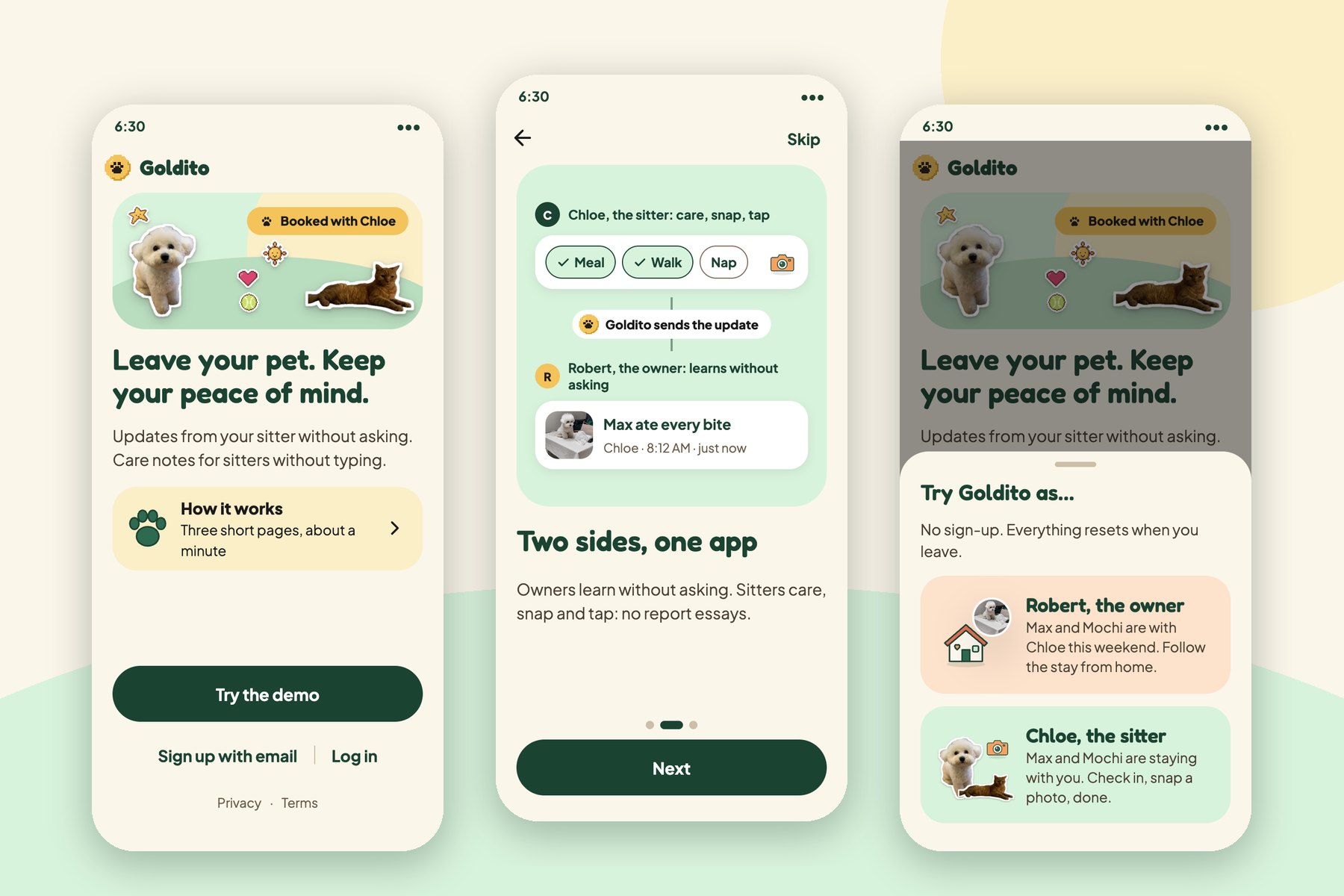
Both sides of a stay were doing extra work
Owners leave a pet with someone they barely know and spend the weekend texting "how's Max?". Sitters spend the evening writing reports instead of caring. We set two goals for every feature, and I held every screen to them: owners learn without asking, and sitters care, snap, tap, with no report to type.
What I owned
I was the only designer on a team of three, next to a full-stack lead and an AI engineer. I owned the five stages of a stay (ask, meet, book, care with live trips, and home safe) for both the owner and the sitter. I also owned the design system and its written rulebook, a design site of playable trials, and the handoff in Figma. I reviewed UI on the team's pull requests, and merged 27 of my own.
Rebuilding the screens everyone sees first
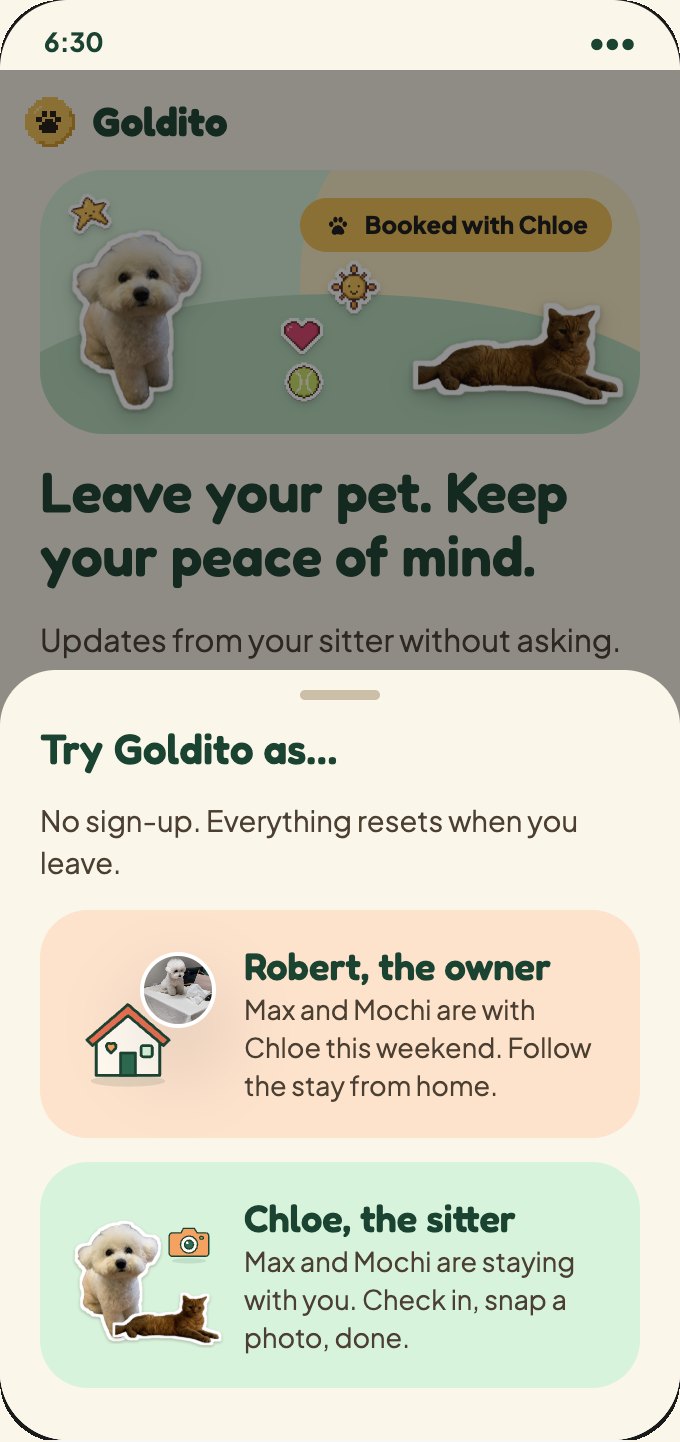
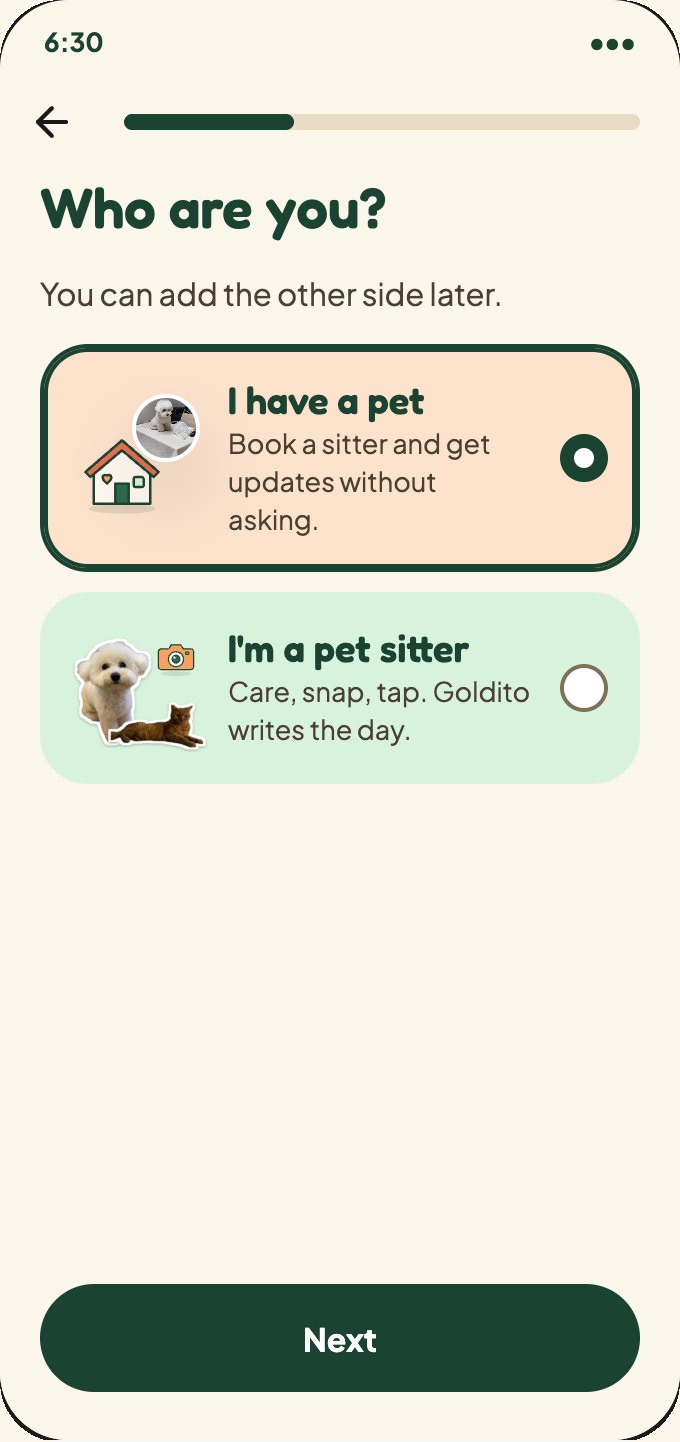
Judges and new users meet Goldito on its first screen, so I audited everything before Home and found 12 issues. The worst: our internal production notes showed to users in dashed placeholder boxes, there was no way to try the demo, and Sign in, Create account and Privacy all carried the same weight.
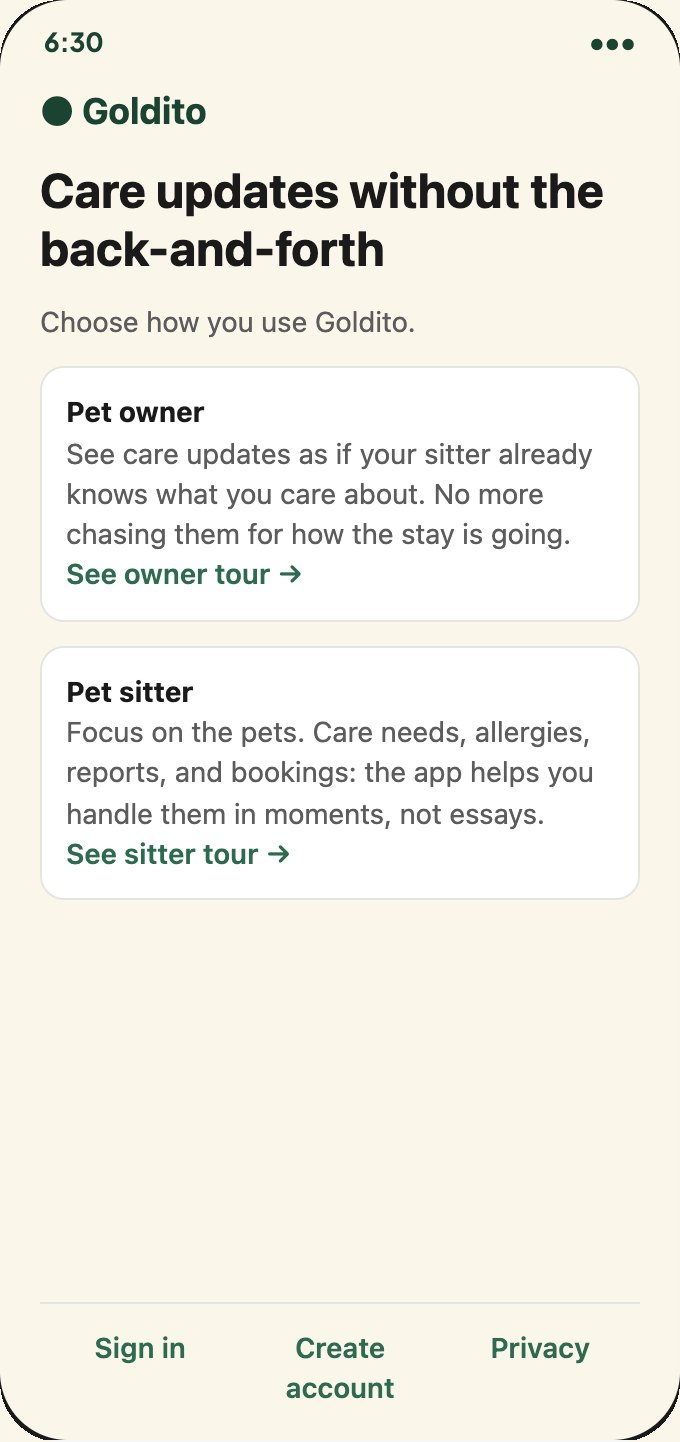
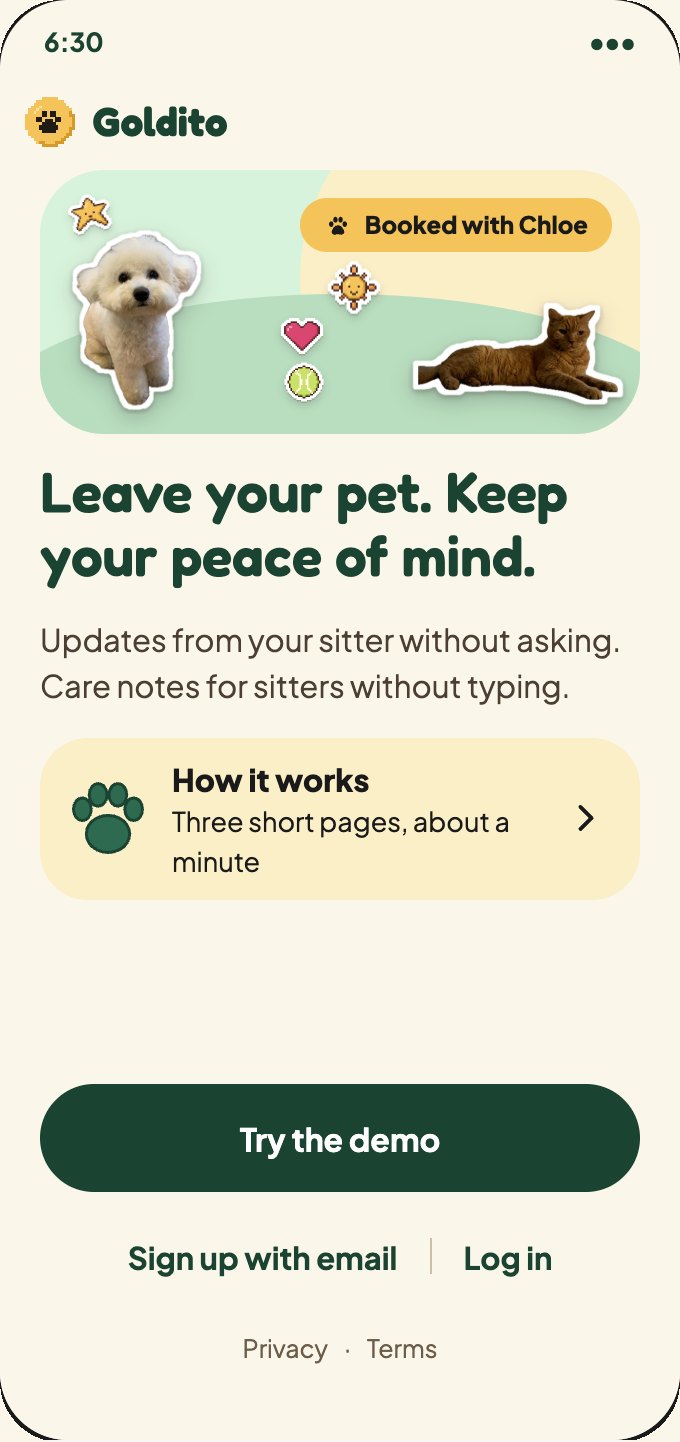
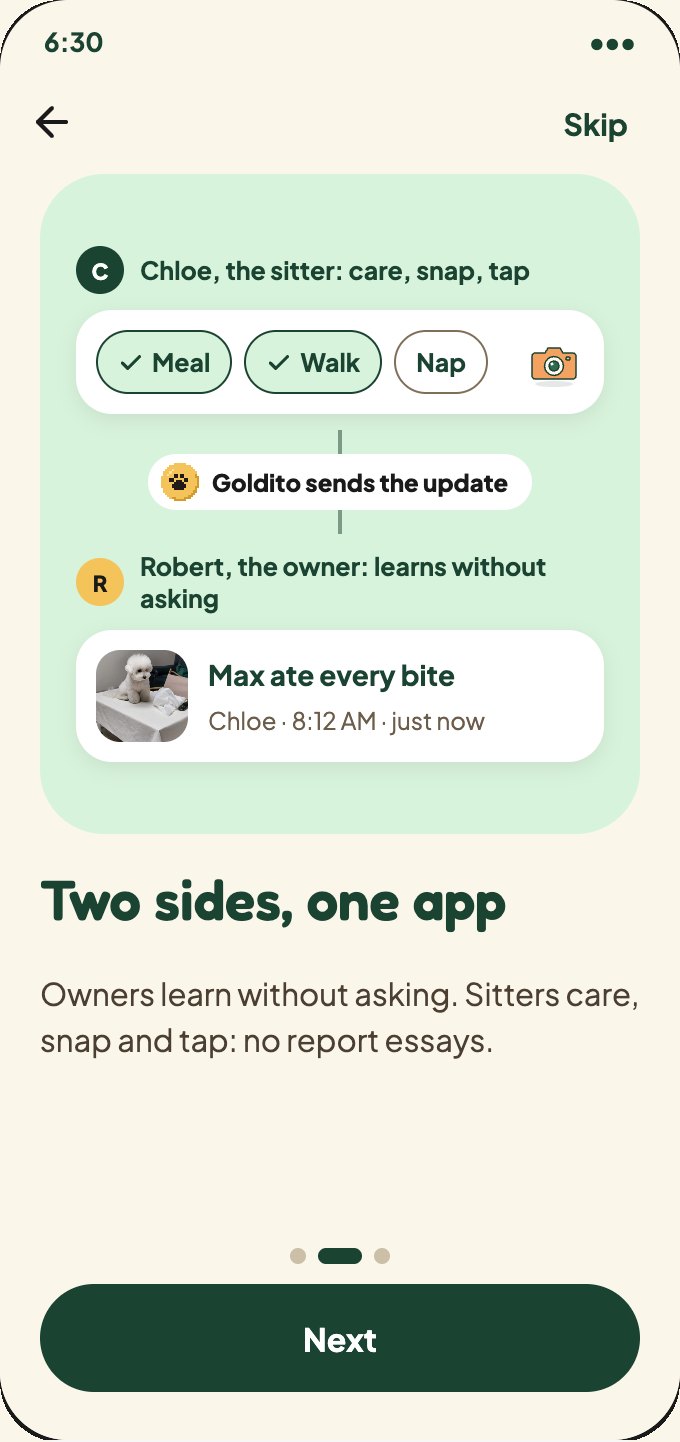
| Before | After | |
|---|---|---|
| 1 | No way in. A judge had to find two small demo buttons under the login form. | Try the demo is the one main button; picking a side opens the right demo account. |
| 2 | Tours with placeholder boxes showing our own production notes. | Three short "How it works" pages, drawn with our illustrations and real pet photos. |
| 3 | One long sign-up form. | Three short steps, one question each. |
| 4 | Apple and Google buttons that only said "Coming soon". | Hidden until they work, so nobody taps a dead button. |
I built the new flow as a playable trial beside today's app. The team approved it, and it was built and merged the same day with all 624 automated tests passing.
Getting a remote team to decide, fast
An audit of the whole app turned up 55 findings: three different Back controls, errors that showed a green check, four filled buttons on one screen. Writing rules alone would not settle them; people needed to see the options. So I drew 12 open questions as small phone screens on one page, each with my recommendation, and the team picked on their own time.
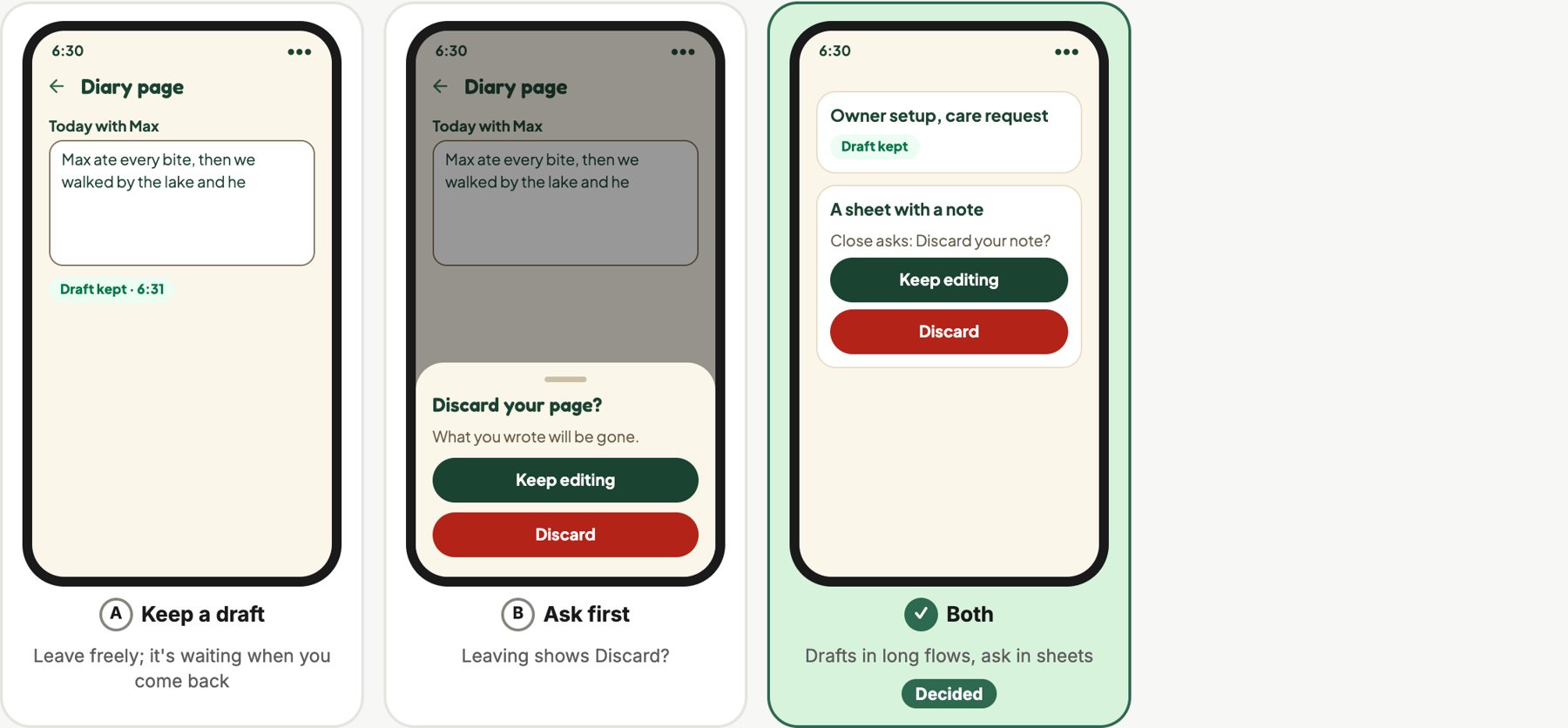
Every pick became a dated rule in the team's design rulebook, and the developers built them into the app the next day. One of them I changed myself. I had chosen a Back control with the word "Back" beside the arrow, then saw it crowd the sign-up progress bar. I switched to the arrow alone and logged why, because a rule people can trust has to show its reasons.
Keeping design and code in the same place
Our prototypes were built in code, so Figma kept falling behind and developers didn't know which picture to trust. I set up a Figma plugin that captures every prototype screen and state into Figma as auto-layout frames built from our components, marks what changed since the last run, and assembles a single Dev reference page: every feature with its status, decided and ready to build or still a proposal. About 70 app screens and every trial land in one run, next to the written rules, so the team could keep building after my last day.
Playable trials over static mockups
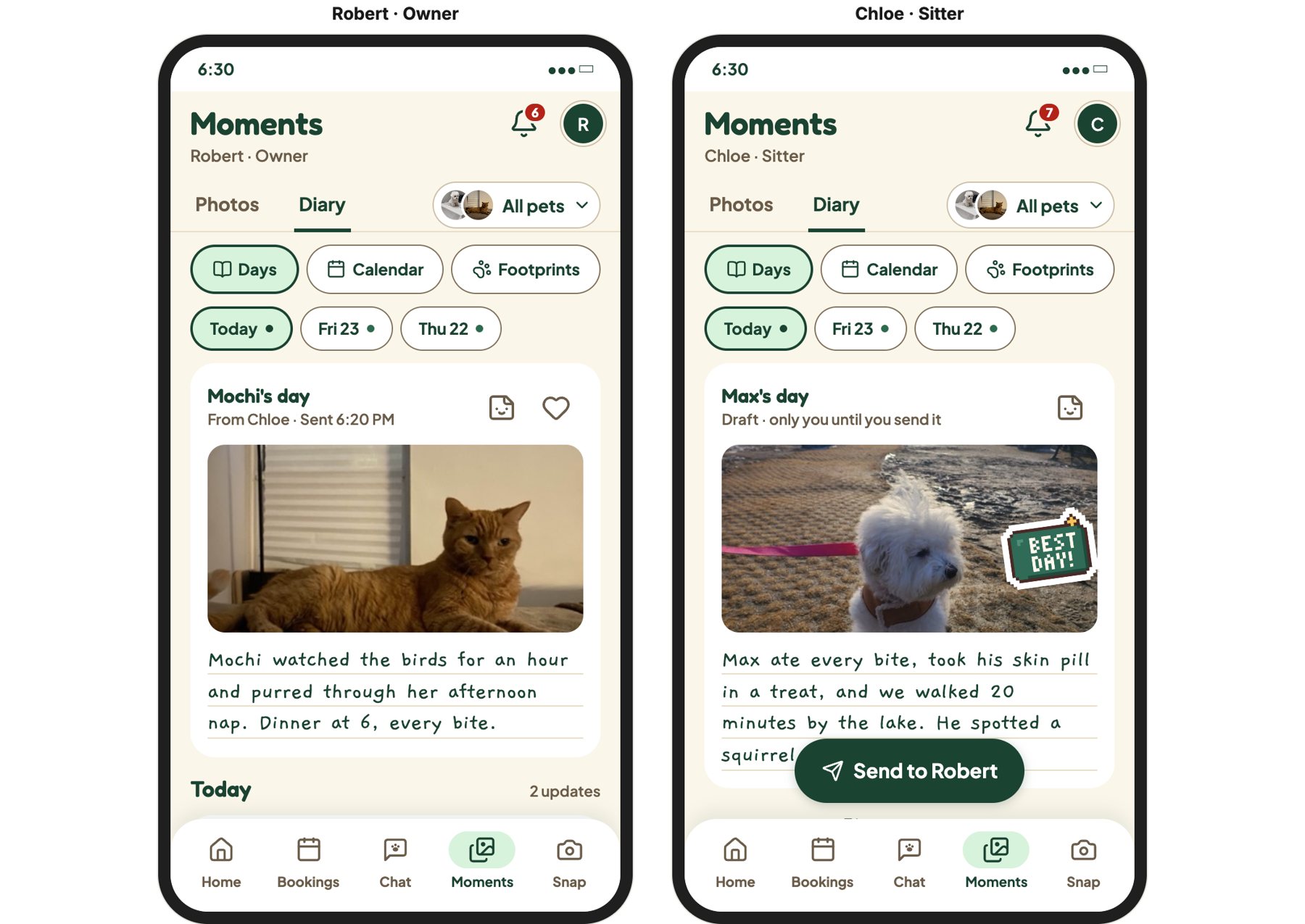
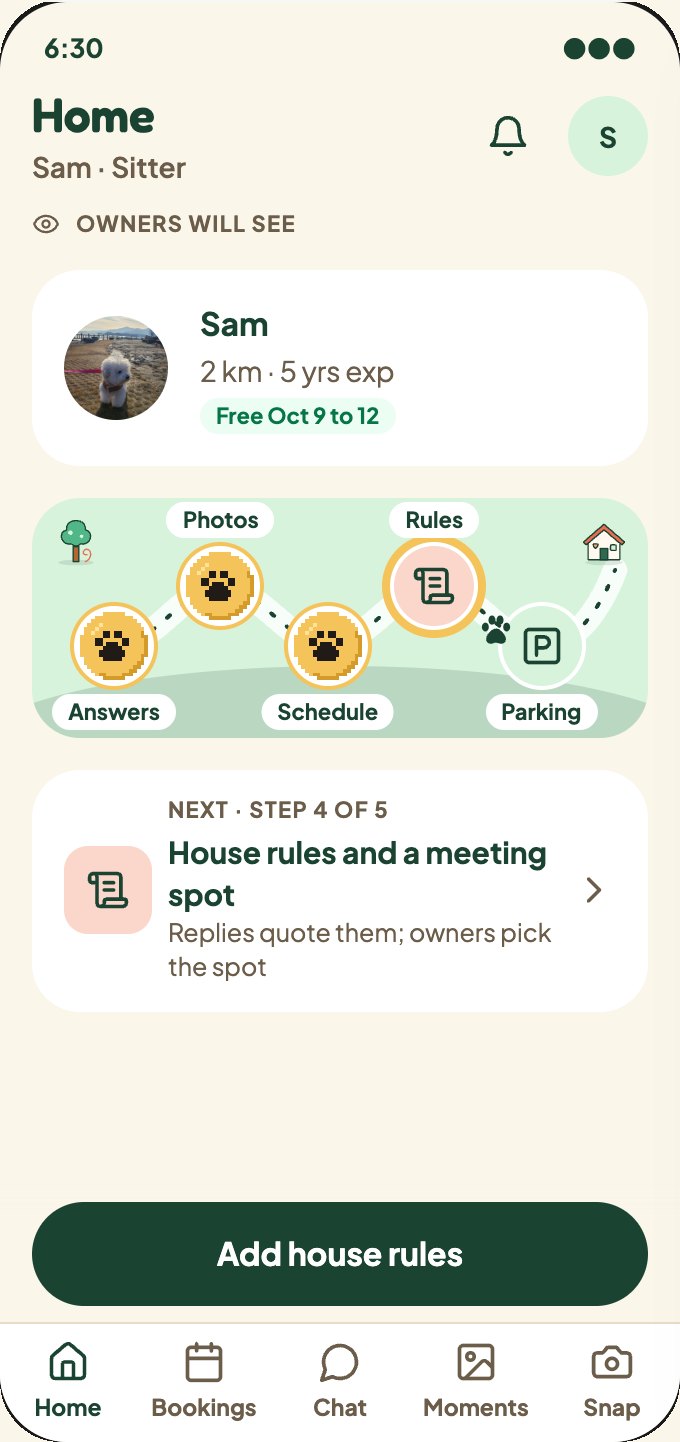
Every open question became a page the team could tap through, not a spec to read. For the Diary, we compared four ways to look back at a stay, then played the chosen one as both the owner and the sitter.
How I worked with AI
I worked with an AI coding agent to build the trials, the Figma plugin and some of the app's pull requests at code fidelity. I set the direction, made the calls and reviewed every screen against our bar: 44-pixel targets, 4.5:1 contrast, one main action per screen, and copy that names the pet and the person. The agent let one designer move at the speed of the team.
What happened
A working product, not a demo page: five stages of a stay designed for both sides, 55 audit findings turned into 12 decisions, 27 pull requests merged from my account, and about 70 screens kept in sync in Figma.
A hackathon gives no usage data, so every decision here is still a hypothesis. Next I'd watch real owners and sitters use it, test the sitter's first Home with sitters, and let a pet's photo set the app's colors once every screen is proven readable. And I'd pick the Back pattern earlier: changing it late touched every screen. It was the right call, but an expensive one.

Thanks for reading.